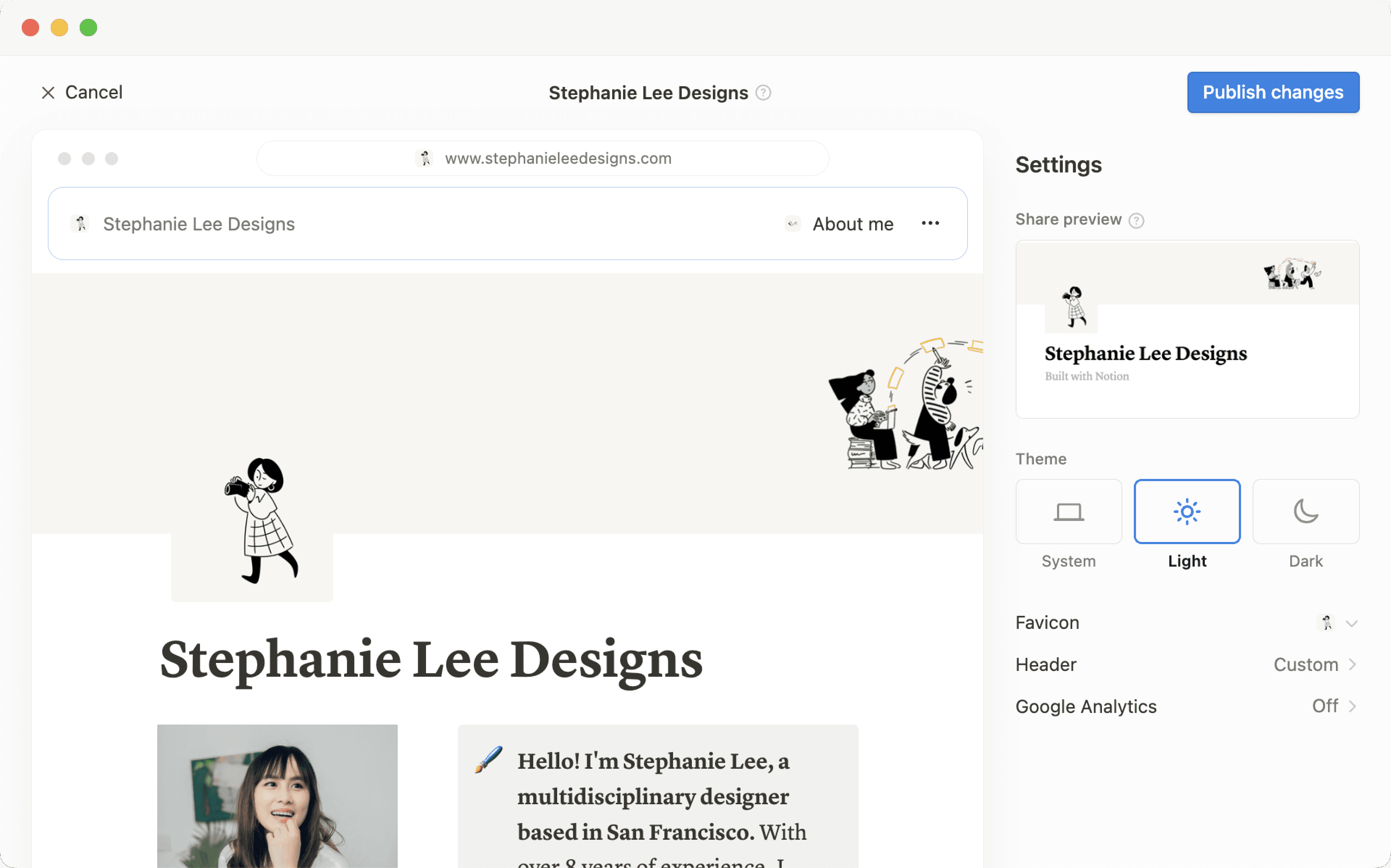
發布 Notion 網站
您在 Notion 中建立的任何頁面,只需點擊一下,即可變成精美的 Notion 網站。發布部落格、履歷或作品集、職缺列表、登陸頁面——可能性就跟網路本身一樣廣闊 🪄
跳至常見問題透過 Notion 網站,您可以:
可將頁面發布至網頁,數量不限。
如果您使用的是付費方案,還能解鎖額外的 自訂功能,包括搜尋引擎最佳化、主題、Google Analytics 整合等。您還可以購買附加元件,以 在網站上使用您現有的自訂網域 等等。
進一步了解 Notion 網站的功能可用性與定價 請點此 →

Note:
Making a Notion page public via Notion Sites is different from making a Notion page public using the
Anyone on the web with linksetting in a page’sSharemenu. Learn more about this general access setting here →Workspace owners on the Enterprise Plan can choose to prevent Notion Sites from being published. Learn how here →
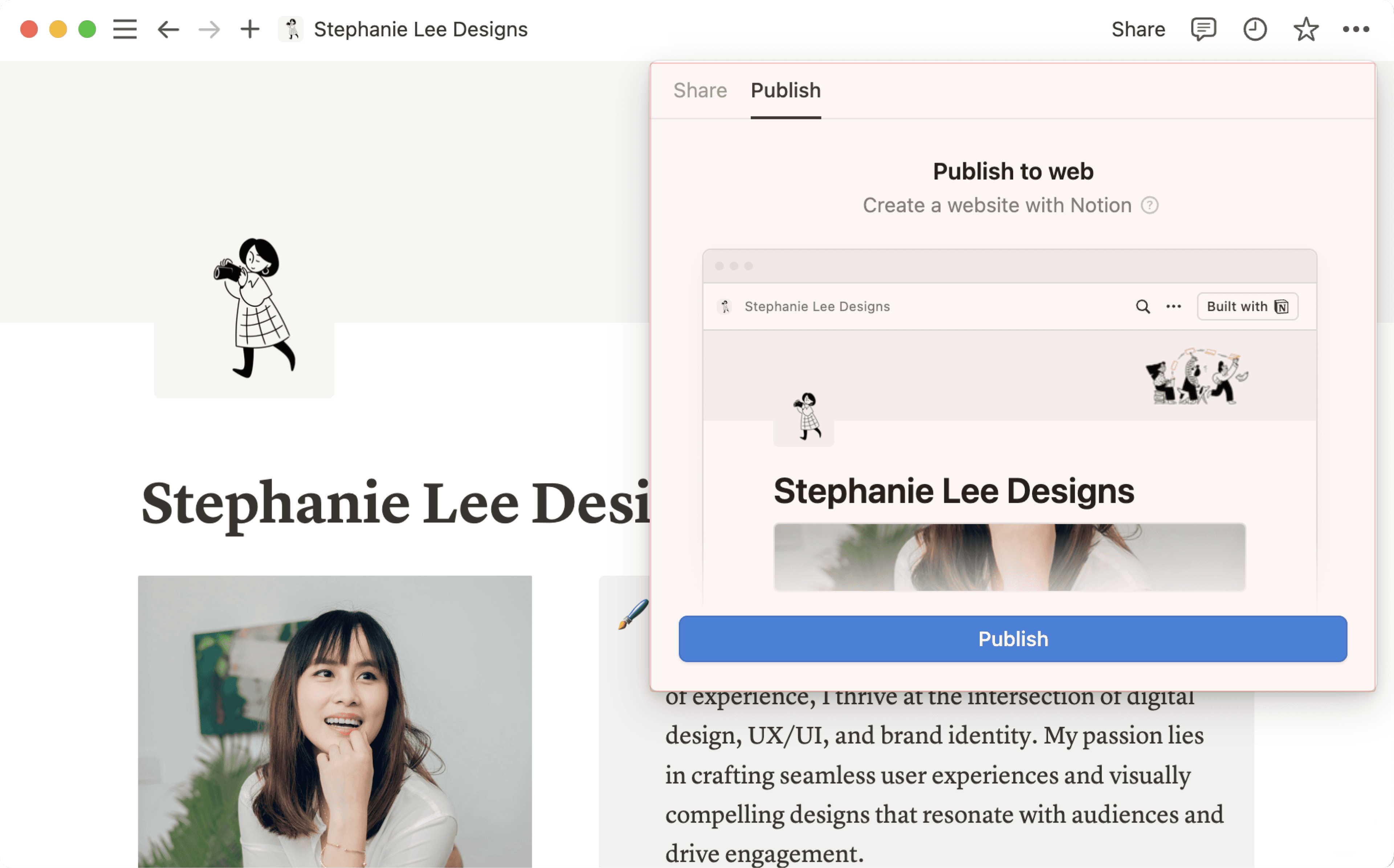
若要發佈 Notion 網站:
開啟您想要發佈的頁面,並選取頂端的
分享。開啟
發佈分頁。選取
發佈。
選取 檢視網站 即可在網路上查看您的 Notion 網站!當您對已發佈的 Notion 頁面內容進行變更時,網站會自動更新。
讓您的網站可被嵌入
將您已發佈的任何 Notion 頁面(例如表單、圖表、資料庫等)嵌入到非 Notion 的網站中。
在已發佈的頁面上,點擊
嵌入此頁面。在嵌入視窗中,點擊
複製此程式碼。您可以選擇性地切換開啟
顯示頁面標題。
將程式碼貼上到您網站的 HTML 檔案中;如果您使用的是網站建立器,這通常會是一個程式碼區塊。
Note: Publishing a Notion page to the web means all of its subpages will be published too. Make sure all your page’s subpages are good to go before you hit publish!

Learn how to build a beautiful, ready-to-publish Notion Site here →
當您的 Notion 網站發布後,請在 Notion 中開啟該發布頁面,並選擇頂部的 Share → Publish。在此選單中,您可以:
複製您公開 Notion 網站的連結,以便與他人分享。
若您使用的是付費方案,您可以自訂 Notion 網站的網址後綴,也就是跟在您的網域後方的網址後綴。例如,在網址
notion.site/my-slug中,my-slug即為網址後綴。若要自訂此項目,請點擊您目前的網址後綴,輸入您偏好的網址後綴,然後點擊Save。網址後綴可由字母、數字和連字號組成。不允許使用其他特殊字元。
您的網址後綴最多可包含 60 個字元。
首頁不能設定網址後綴。
您必須為每個 Notion 網站手動設定網址後綴。特定頁面的網址後綴不會自動套用到任何下層頁面。
您無法在工作空間的不同頁面中使用相同的網址後綴,即使這些頁面是發佈到不同的網域。

Important: Once you permanently delete a published page, its slug cannot be reused. If you think you might want to use the same slug again, update the slug before deleting the page.
選取
Site customization以進一步個人化您的網站。在 本文 → 中了解更多關於自訂網站的資訊。選取
Search engine indexing並切換開啟Discoverable on the web,讓您的網站能在網路上被搜尋到。若您使用的是付費方案,您還可以編輯連結標題與說明,以進行搜尋引擎最佳化。切換開啟
建立副本為範本,允許網站訪客將您的 Notion 網站複製為他們自己的工作空間中的 Notion 頁面。選取
嵌入此頁面並切換開啟Show page title,或選取複製此程式碼,將您的 Notion 網站嵌入至其他頁面。選取
所有已發佈的網站以管理您所有的網站。
Note:
Notion Sites can take up to four weeks to be indexed and appear in search results.
If you choose to sell templates directly on Marketplace, your existing paid templates (at their existing Notion Sites links) will be made available for purchase directly on Marketplace. This means that users who access your templates' existing Notion Sites links via a third-party platform won’t be able to duplicate your templates. Make sure to duplicate your template and set it up at a new Notion Site link that you can use for your listing on the third-party platform.
Note: When you publish a Notion page to the web or set sharing access for a Notion page to Anyone on the web with link, the webpage's metadata will include the names, profile photos, and email addresses associated with any Notion users that have contributed to the page.
當您發佈 Notion 網站時:
網路上任何人都可以查看。
子頁面預設也會一併發布,包含其所有的子頁面。您可以限制子頁面權限,將其從公開瀏覽中隱藏!
若您的 Notion 網站包含資料庫,檢視者可以在不同瀏覽模式間切換,並開啟其中的頁面。
根據您切換開啟的 settings 以及您所做的 customizations,檢視者也可以建立副本或搜尋您的網站。
當您變更 Notion 頁面中的內容時,網站將會自動更新。
If you’re on a paid plan, you can do even more to tailor the experience for your Site’s visitors! Learn how in this article →
Even if your Notion Site has been unpublished, it’s possible your page’s general access settings have been set to Anyone on the web with link, which allows people who have the link to your page to access it.
To ensure your page’s contents aren’t shared publicly, turn this setting off by clicking Share at the top of your Notion page, opening the dropdown next to Anyone on the web with link, and clicking Remove.
若要將您的 Notion 網站從網路上移除:
開啟您想要取消發佈的頁面,並選取頂端的
分享。開啟
發佈分頁。選取
取消發佈。
如果您是企業版的工作空間擁有者,您可以防止工作空間成員發佈 Notion 網站。若要執行此操作,工作空間擁有者可以:
前往
設定→安全性。在
安全性分頁中,切換開啟停用發佈網站、表單和公開連結。
一旦您開啟此設定,網路上任何現有的網站都將會被下架。請注意,開啟此設定也會防止您的工作空間成員將 表單 分享到網路上。

常見問題
Does Notion support custom domains?
Does Notion support custom domains?
Learn how to claim a notion.site domain or connect a custom domain to your Notion Site here →
Can you link to a specific section of a page?
Can you link to a specific section of a page?
You can use a table of contents in your public page to create anchor links to its headings.
If I change my workspace domain name, will my public page URLs still work?
If I change my workspace domain name, will my public page URLs still work?
If you change your workspace domain, any existing links starting with the previous domain will no longer work. You'll need to share the new link. To find the new link, open the published page in Notion and select Share at the top → Publish. Find the URL at the top and select 🔗 next to it to copy it.
I shared my public page URL but it takes people to a page with a "Continue to external site by following the link below" error message. What did I do wrong?
I shared my public page URL but it takes people to a page with a "Continue to external site by following the link below" error message. What did I do wrong?
Make sure you’ve shared the link to the published page, and not the version of the page in your Notion workspace! The link should begin with your Notion workspace domain name. To find it, open the published page in Notion and select Share at the top → Publish. Find the URL at the top and select 🔗 next to it to copy it.
Can I password protect a page?
Can I password protect a page?
Unfortunately, not at the moment. If the person you want to share a page with has a Notion account, you can share your page privately by selecting Invite a person in the Share menu at the top of a page.